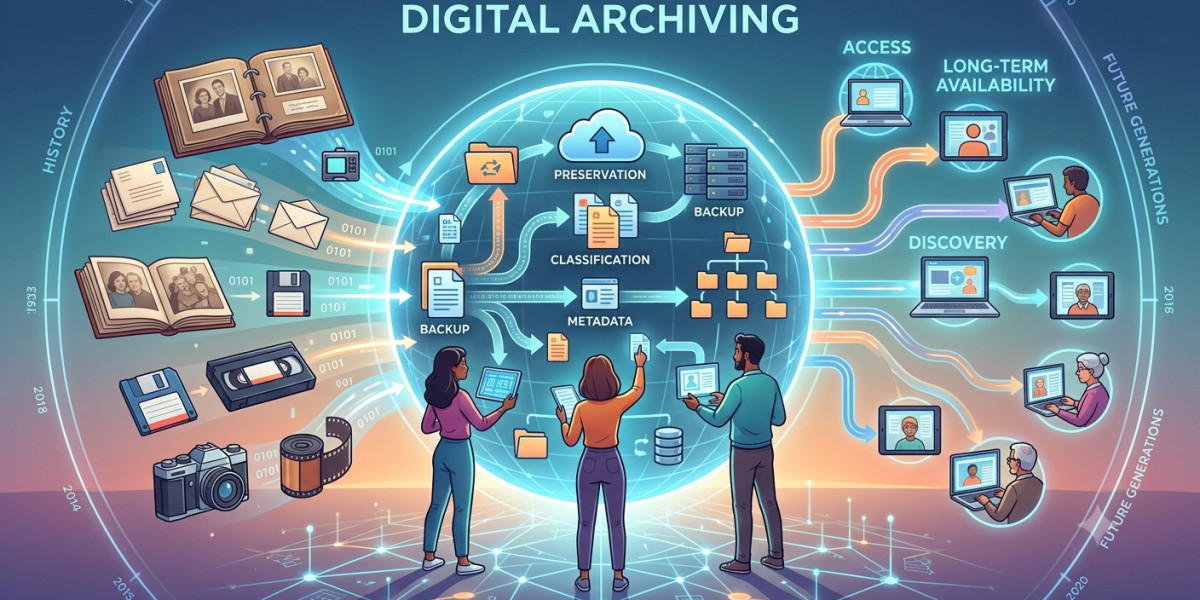

If you have just been handed responsibility for "sorting out our old documents", or you keep hearing the term in compliance meetings and nodding along, this is for you. what is digital archiving means keeping documents and records in electronic form, organized and protected, so they stay findable, readable, and trustworthy for years or even decades. That is the short answer. The useful answer is understanding what that actually involves, and just as importantly, clearing out the myths that confuse almost every beginner.
Myth One: "We Scan Our Documents, So We Archive"
Scanning is digitization, not archiving. It turns paper into files. What happens to those files next is what decides whether you have an archive or just a pile of PDFs.
Ask these questions about your scanned documents:
Could a colleague find a specific one three years from now without asking you?
Do you know how long each must legally be kept?
Could you prove one has not been edited since scanning?
If the answers are no, no, and no, you have digital documents, not a digital archive. Archiving is the discipline that turns the first situation into the second.
Myth Two: "Our IT Backups Have Us Covered"
This is the most expensive misunderstanding in the field, so it is worth being blunt. Backups and archives solve different problems.
A backup protects you from losing today's data. It copies everything regularly so a crashed server or deleted folder can be restored. It looks backward only a few weeks or months, and old backups get overwritten constantly.
An archive protects specific records for their whole legal and business life. It keeps final versions unchanged, organized for retrieval, with proof of authenticity, for however many years the record requires.
Try restoring one specific contract from 2018 out of a backup system and the difference becomes vivid. Backups answer "can we recover from disaster?" Archives answer "can we produce and prove this record on demand?" You need both. One cannot do the other's job.
Myth Three: "Keeping Everything Forever Is the Safe Option"
Beginners often assume the cautious move is never deleting anything. In reality, keeping everything is a risk, not a safety net.
Records containing personal data usually have legal limits on how long you may hold them. Privacy regulations like GDPR expect data to be deleted when its purpose and retention period end. Beyond the legal side, an archive stuffed with everything becomes an archive where nothing can be found, and every old file is one more thing to protect, migrate, and pay for.
Good archiving is as much about controlled disposal as preservation. Every record gets a retention period, and when it ends, deletion happens deliberately and is documented. Keeping everything forever is not a policy. It is the absence of one.
Myth Four: "A Digital Copy Is Weaker Than the Paper Original"
Many beginners quietly believe that if a dispute ever gets serious, only paper will save them. This belief is decades out of date.
European regulation, particularly the eIDAS framework, gives properly preserved electronic documents legal standing. In several situations, a well-archived digital record is actually stronger evidence than paper, because it can carry things paper cannot:
A trusted timestamp proving exactly when it was created or received
Technical proof that not a single character changed since archiving
A complete log of everyone who accessed it
Paper can be lost, altered without trace, or destroyed in one incident. A properly archived digital record resists all three. The catch is the phrase properly archived. A random PDF on a shared drive earns none of these advantages. A record inside a real archive earns all of them.
The Small Vocabulary That Unlocks Everything
Four terms come up constantly, and knowing them makes every archiving conversation easier to follow.
Metadata. Information about a document: what it is, who it concerns, when it was created, when it can be deleted. Metadata is what makes a record findable among millions. A document without metadata is effectively lost the day it is stored.
Retention period. How long a record must be kept, usually set by law or regulation, and varying by document type. Invoices, contracts, and personnel files each have their own clocks.
Integrity. The guarantee that a record has not been changed since it was archived. Real archives can prove integrity technically, which matters enormously in audits and disputes.
Preservation format. A stable, standardized file format chosen because it will still be readable decades from now, unlike many everyday formats that quietly die with their software.
Master these four ideas and you already understand more than most people in the room.
Archiving Is for Using, Not Just Keeping
A misconception hides in the word archive itself. It sounds like a place documents go to be forgotten, a digital basement. In practice, a good archive is one of the most used systems in an organization.
Customer service pulls up old agreements to answer disputes. Finance retrieves invoices during tax season. HR checks historical employment records. Legal assembles evidence for cases. In each situation, the archive's value is measured in seconds-to-find, not just years-of-keeping.
This is why searchability deserves as much attention as security when archiving is set up. An archive where retrieval is painful gets avoided, and an avoided archive fails no matter how safe it is. When evaluating any archiving approach, always ask the access question first: how quickly can the right person find one specific record from years ago?
What Getting Started Actually Looks Like
Here is the reassuring part for beginners: you do not start by buying technology. You start by understanding what you have.
A sensible first pass looks like this:
List the types of records your organization holds: contracts, invoices, HR files, client records
Find out the retention requirement for each type in your country and industry
Identify which records are critical: legally binding, long-lived, or likely to be demanded in audits
Note where all of this currently lives, and be honest about the shared-drive chaos
A small accounting firm doing this exercise typically discovers something clarifying: out of everything stored, only a fraction genuinely needs long-term, provable archiving. That fraction is where proper archiving begins. The rest is ordinary file management. Knowing the difference is the whole game.
A Word on Cost, Because Beginners Always Ask
The instinct is to compare archiving cost against storage cost, and archiving always looks expensive next to a cheap cloud drive. That comparison misses the point.
The real comparison is archiving cost against the cost of failure: a lost contract in a dispute, a fine for holding personal data too long, an audit that consumes weeks because records cannot be located or proven. Any one of these typically costs more than years of doing archiving properly.
There is also a quieter saving. Organizations with real archives stop paying for chaos: duplicate storage, time wasted searching, and old systems kept alive only because their data has nowhere better to go.
When to Bring In Specialists
You can go surprisingly far with awareness and internal discipline. The moment to involve specialists is when records must meet legal evidence standards, retention runs into decades, or regulators are part of your world, banking, insurance, healthcare, public sector. At that level, archiving involves certified processes and preservation techniques that are impractical to improvise internally. Companies like Docbyte work at exactly this level, turning archiving from a worry into infrastructure.
Conclusion
Digital archiving, stripped of jargon, is a promise your organization makes about its records: we can find them, read them, prove them, and dispose of them properly, no matter how many years pass. Scanning does not make that promise. Backups do not make it either. And keeping everything forever actively breaks it.
Start small: know your record types, learn their retention rules, and identify the critical few that deserve real preservation. Beginners who understand those basics are already ahead of organizations that have been improvising for years.